 FerryKey
End-to-end encrypted bookmark sync
Your bookmarks in every browser. Readable only by you.
FerryKey keeps your bookmarks in sync between Chrome and Firefox. Everything is encrypted on your device before it leaves, and only your own browsers hold the keys. No email, no password, no tracking.
Chrome and Firefox today, Safari coming soon. Set up in about a minute.
How it works
Set up once, in about a minute. After that, FerryKey runs quietly in the background.
-
Create your account
Install FerryKey and choose Start using FerryKey. Your browser creates your keys right there. Nothing about you is sent to us.
-
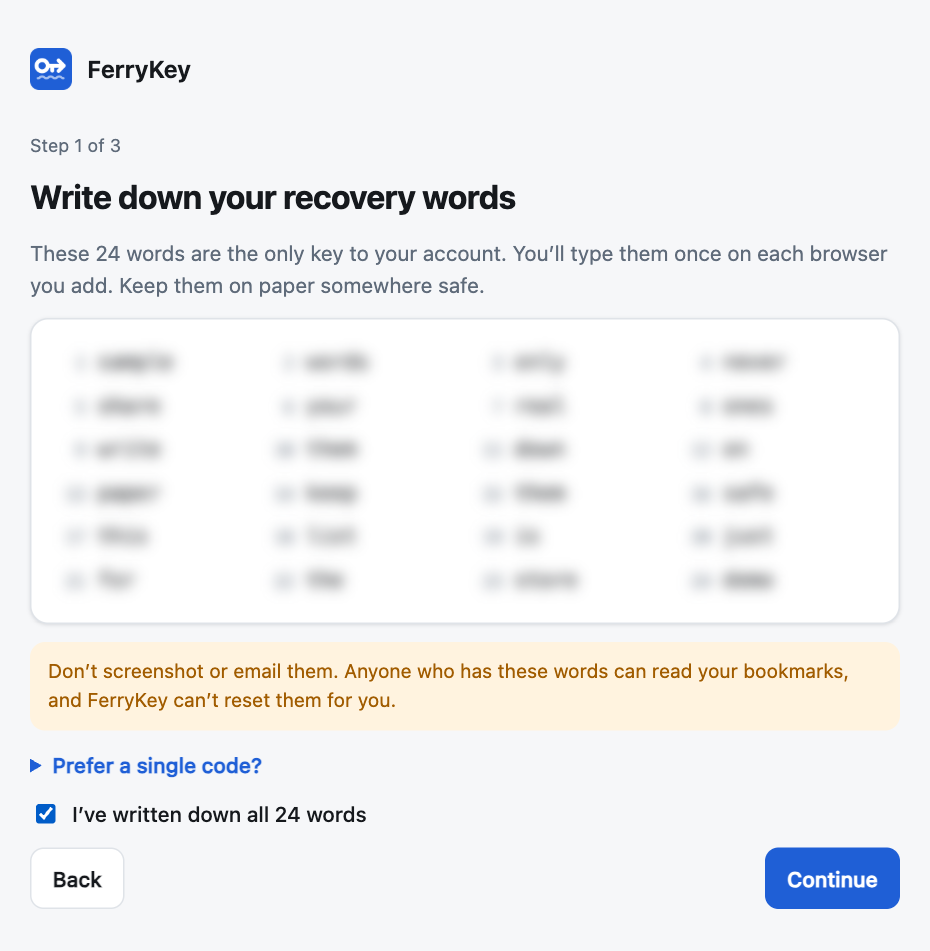
Write down your 24 words
Your keys are shown as 24 recovery words. Write them on paper and keep them safe: they are your account, and the only way to add browsers.
-
Add your other browsers
Install FerryKey on your other computers, choose Add this browser and type the words. Each browser forgets them once it’s added.
-
That’s it: live sync
Add, edit, move or delete a bookmark anywhere, and your other browsers update within seconds.
Why it’s private
Most sync services can read your data and promise not to. FerryKey is built so that we can’t.
Keys never leave your devices
Your keys are made in your browser from your 24 words. Bookmarks, folders and even device names are encrypted before they’re uploaded. Our server only ever stores scrambled data it has no key for.
No email, no password
There’s nothing to phish, guess or reset. Your browsers prove who they are with their own keys, and the server only accepts changes signed by devices you added.
A stolen database is useless
Anyone who copied our servers would get public keys and ciphertext. Your keys are random and full-strength, so there’s no password to crack.
Honest about metadata
The server can see when your devices sync, how many devices you have and roughly how much you store. It can’t see what you store. Details are in the privacy policy.
What our server can’t see
- Bookmark titles and addresses
- Your folders and how they’re organised
- Your device names
- Your 24 words or any key that decrypts your data
What it does see
- A random account ID and device public keys
- When each device syncs, and roughly how much data is stored
- For signup limits only: a daily code for your network, deleted after two days
Features
Chrome and Firefox
One account across both, on Mac, Windows and Linux. Chrome and Firefox today, Safari coming soon.
Instant sync
Live updates push changes to your other browsers within seconds, not minutes.
Works offline
Changes made offline are kept in your browser and catch up automatically when you’re back online.
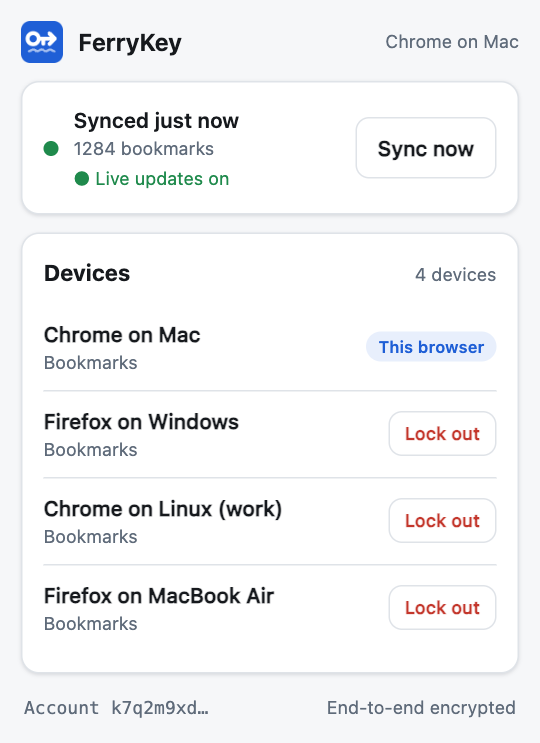
Lock out a lost device
See every browser on your account. Lock one out and FerryKey switches to new keys it doesn’t have.
Mass-delete protection
If lots of bookmarks vanish at once, FerryKey asks before removing them from your other browsers.
No tracking
No analytics, no ads, no third-party code, and we never sell data. Hosted in Sydney, Australia.
What’s coming
FerryKey is new. Here’s what we’re working on next. None of these are available yet.
Safari extension
FerryKey for Safari on Mac, iPhone and iPad, syncing with your Chrome and Firefox bookmarks.
Desktop app
Keeps your keys in your computer’s secure keychain and syncs alongside your browsers.
Password manager sync
End-to-end encrypted sync between password managers, built on the same design.
Questions
What if I lose my 24 words?
Browsers that are already set up keep syncing. They don’t need the words. What you lose is the ability to add new browsers, and to recover if all your browsers are gone.
We can’t recover or reset the words for you: we never had them. If you lose them, start a fresh account from one of your browsers to get new words, then add your other browsers with those. Your bookmarks are still in your browsers, so nothing is lost while you have one.
If you lose your words and every browser, nobody can decrypt the synced copy. That’s the price of nobody else holding a key.
Can FerryKey see my bookmarks?
No. Titles, addresses, folders and device names are encrypted on your device with keys only your devices have. We can see technical details, such as when your devices sync and roughly how much they store. The privacy policy lists exactly what we can and can’t see.
Which browsers does it work with?
Chrome and Firefox today, on Mac, Windows and Linux. Both use the same extension, so you can mix them, for example Firefox at home and Chrome at work. Safari (Mac, iPhone and iPad) is coming soon.
Why no email address or password?
A password is something a server checks, so a server can be attacked to guess it. FerryKey’s 24 words are a random key that never leaves your devices. The server only checks signatures from devices you’ve added, so there’s nothing to log in to and nothing for us to reset.
What happens when I lose a device?
Open FerryKey on another browser, find the lost one in the device list and choose Lock out. It loses access straight away, and new keys are used from then on. Anything it already downloaded stays on that device, so secure the device itself too if you can.
Will it mess up my bookmarks?
FerryKey merges changes item by item, so edits from different browsers don’t overwrite each other. Existing bookmarks are matched when you add a browser, so you don’t get duplicates. If many bookmarks are removed at once, it asks you first.
Where is my data stored?
On Amazon Web Services in the Sydney region, Australia. FerryKey is run by ILB Computing, an Australian business.
How do I delete my data?
Uninstalling the extension removes FerryKey’s keys from that browser. Your bookmarks stay in the browser. To delete your encrypted data from our servers, email support@ferrykey.com. There’s no button for this yet.